











旋转屏幕方向管理器app是一款可以设置屏幕方向的手机软件。 It is specially designed for users who pursue a personalized display experience.新手也能快速上手。 It breaks through the limitations of the rotation function of the mobile phone system and provides multiple orientation modes such as forced horizontal screen, vertical screen, reverse rotation, etc. which is suitable for Equipped with diverse scenarios such as video viewing, gaming and entertainment, office study, etc. with convenient designs such as floating headers, notification bar shortcuts, and personalized functions such as dynamic themes and event priority settings, it can accurately control the screen display direction, completely solve the problem of uncontrolled screen rotation, and bring a more flexible and carefree use experience.
软件优势
1. Supports new modes such as automatic sensor rotation and reverse rotation, and is suitable for Android 16 systems and foldable devices.
2. Set the direction separately for scenes such as calling, charging, and plugging in headphones. When multiple events occur at the same time, the priority can be customized.
3. The theme engine adapts to different backgrounds, and the size and icon of the floating window can be adjusted freely to meet everyone's aesthetic needs.
软件亮点
1. Covers forced landscape/portrait screen, reverse rotation, full sensor adaptation, etc. It can lock the current direction or override the system default settings.
2. Quick tool set, through floating headers, notification tiles, desktop widgets, etc. you can switch directions with one click without opening the main application.
3. The platform also has a backup and restore function, which supports saving application settings and subsequent quick loading and restoration to avoid repeated configurations.
软件特色
1. No root permissions are required.所有核心功能只需简单授权即可使用,避免修改系统带来的风险。
2. The operation is intuitive and convenient.双击浮动标题可设置事件方向。切换时有Toast消息提示,交互清晰。
3. Lock screen orientation support, enabling orientation locking in the locked screen state through accessibility services, making watching movies and reading more worry-free.
4. The subscription service is flexible.原来的旋转钥匙依然可以解锁无限功能。新用户可以通过订阅获得持续更新支持。
Rotation屏幕方向管理器怎么设置自动启动
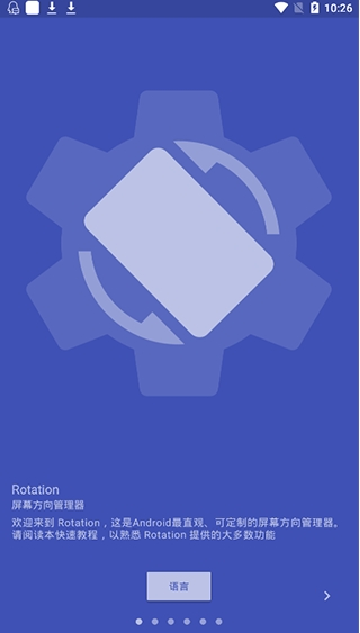
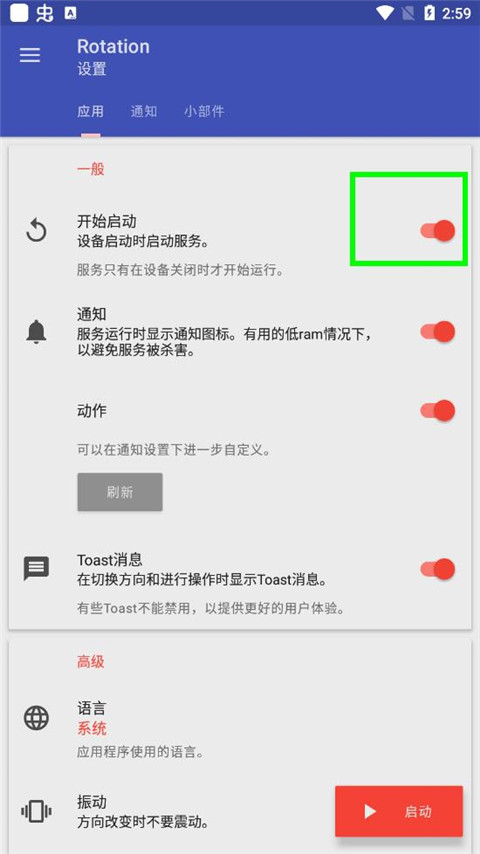
1. 下载并安装软件后,打开它。详细阅读说明后,进入主页,点击右上角的三横线。

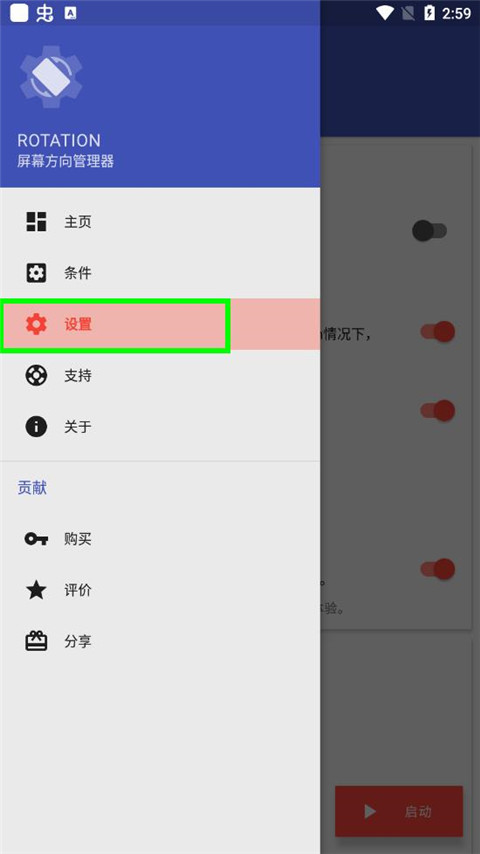
2、侧边栏内容详细呈现。找到“设置”,直接点击设置即可进入设置界面。
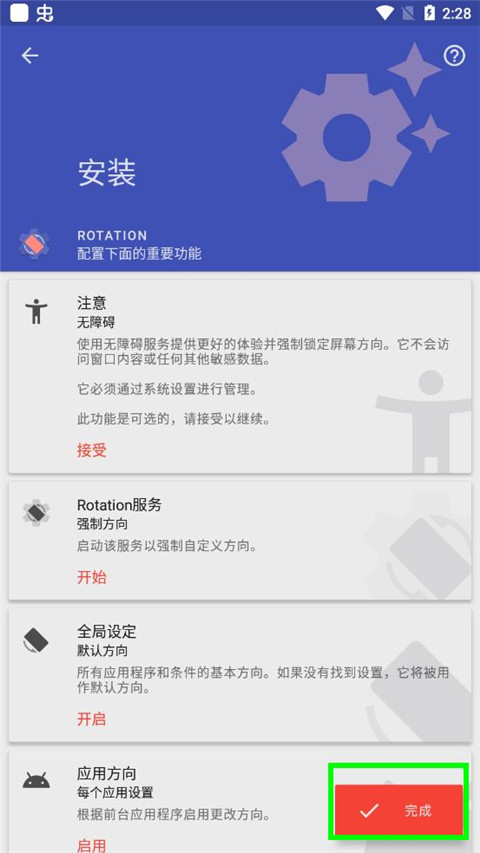
3.设置应用程序、通知、小部件等类别。在应用程序中,找到开始,直接单击开始。
软件点评
Rotation screen orientation manager has a variety of orientation modes and scene settings, which perfectly adapts to different usage needs such as video and games.新的适配功能还提高了兼容性。多语言支持和直观的交互让不同的用户都能轻松上手。浮动标题和快捷操作大大提高了使用效率。动态主题和个性化配置增强实用性和乐趣。它兼顾了新老用户的需求。是一款性价比极高的屏幕管理工具。
应用截图







-
做超声检查时,医生为什么要在患者肚子上涂粘粘的东西 2026-01-22
-
绯红之境兑换码最新2021 礼包兑换码大全 2026-01-22
-
三国群英传7霸王再临攻略 霸王再临攻略技巧开启方法 2026-01-22
-
小米mix fold有前置摄像头吗 2026-01-22
-
妄想山海怎么加好友 加好友方法大全 2026-01-22
-
天地劫幽城再临归真4-5攻略:第四章归真4-5八回合图文通关教学 2026-01-22